
Mastering Product 3D Design: Techniques and Tools for Modern Designers
Product 3D design has become an essential part of modern product development. It allows designers and engineers to transform an early idea into an accurate digital model before spending money on prototypes, tooling, or manufacturing.
From consumer electronics and IoT devices to household products and mechanical assemblies, 3D design helps teams understand how a product will look, function, assemble, and eventually be manufactured.
At OBI Designs, product development combines industrial design, mechanical engineering, CAD modeling, visualization, prototyping, and design for manufacturing. This approach helps identify problems early and creates a smoother path from an initial idea to a physical product.
What Is Product 3D Design?
Product 3D design is the process of creating a three-dimensional digital model of a physical product.
A good 3D model is much more than a visual representation. It can include accurate dimensions, wall thicknesses, mounting points, internal components, assembly features, tolerances, and manufacturing details.
Product 3D design can support many stages of development, including:
- Concept development
- Industrial design
- Mechanical engineering
- Product enclosure design
- Internal component packaging
- 3D printing
- CNC machining
- Injection molding
- Product visualization
- Manufacturing drawings
- Design for Manufacturing
This makes 3D CAD one of the most important tools in the modern product development process.
Start With Product Requirements
Good product 3D design should not begin by immediately creating shapes in CAD software.
The first step is understanding the product.
Before designing, it is important to define:
- Product purpose
- Intended user
- Approximate dimensions
- Internal components
- Materials
- Manufacturing process
- Operating environment
- Expected production quantity
- Functional requirements
- Target cost
These requirements create a foundation for the design.
For example, when developing an electronic product, the designer may need to consider the PCB, battery, connectors, switches, sensors, LEDs, antennas, speakers, displays, and wiring before defining the final enclosure.
From Initial Sketches to 3D CAD
Most successful products go through several design stages.
The process often begins with rough sketches. Sketching allows a designer to quickly explore different shapes, proportions, layouts, and ideas without spending too much time building detailed CAD models.
Once a promising direction has been selected, the concept can move into 3D CAD.
During this stage, the designer begins defining accurate geometry and dimensions.
Features such as mounting points, openings, internal supports, screw bosses, snap fits, and component locations can gradually be added.
The model becomes more detailed with each design revision.
Popular Tools for Product 3D Design
Different software tools can be used depending on the type of product and stage of development.
SolidWorks
SolidWorks is widely used for mechanical engineering and product development.
It is particularly useful for:
- Mechanical components
- Assemblies
- Consumer products
- Electronic enclosures
- Sheet metal products
- Engineering drawings
- Manufacturing documentation
SolidWorks also makes it easier to control dimensions, tolerances, and relationships between different parts.
Fusion 360
Fusion 360 combines CAD, manufacturing, simulation, and rendering tools in one environment.
It works particularly well for rapid product development, startups, prototypes, CNC-machined components, and mechanical assemblies.
Designers can quickly modify models and create different versions of a concept.
Blender
Blender is commonly used for visualization, organic modeling, animation, and presentation.
While it is not usually the main engineering CAD tool for manufacturing, it can help create attractive product visuals and animations.
KeyShot
KeyShot is widely used for photorealistic product rendering.
A CAD model can be imported into KeyShot and given realistic materials, colors, textures, lighting, and environments.
This makes it useful for creating:
- Marketing images
- Product presentations
- Portfolio images
- Crowdfunding visuals
- Investor presentations
- Concept validation images
Designing Around Internal Components
Internal component packaging is one of the most important parts of product 3D design.
This is particularly important for IoT devices, consumer electronics, smart products, and electronic enclosures.
Before finalizing the exterior shape, designers should confirm the location of major internal components.
These may include:
- PCB
- Battery
- Connectors
- Displays
- Buttons
- Sensors
- Antennas
- Speakers
- LEDs
- Wiring
The enclosure should provide enough space for these components while keeping the overall product compact and attractive.
Clearances also need to be considered.
For example, a USB connector needs enough room around it for the cable to be inserted comfortably. A sensor may require direct exposure to the environment. An antenna may need an RF-transparent section of the enclosure.
These details can significantly influence the final product shape.
 Product Enclosure Design
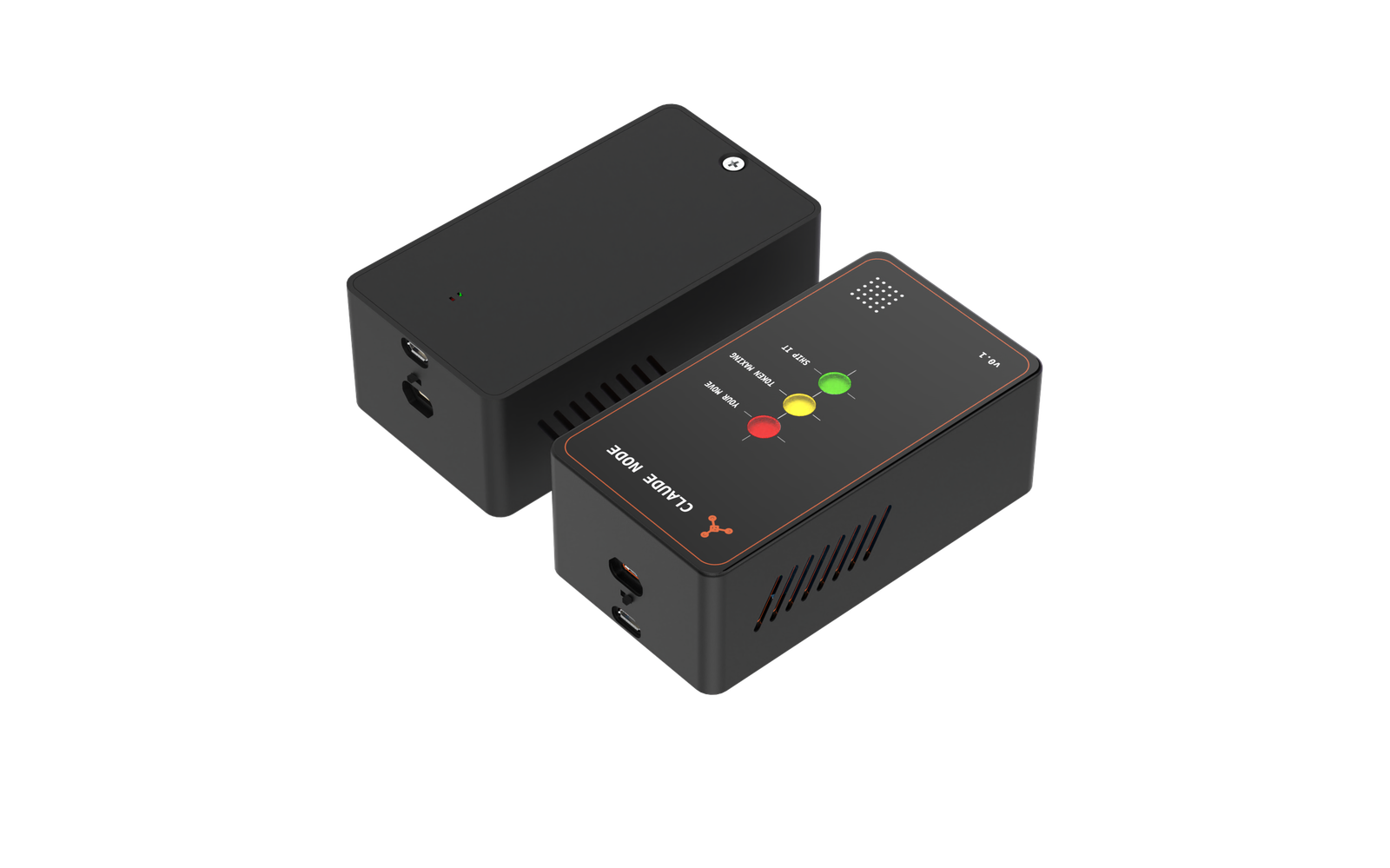
Enclosures are an important area of product 3D design.
A good enclosure must protect internal components while also providing a clean and professional appearance.
The designer may need to consider:
- PCB mounting
- Screw bosses
- Snap-fit features
- Connector openings
- Ventilation
- Speaker openings
- Button access
- Cable routing
- LED windows
- Sensor openings
- Sealing
- Wall thickness
- Assembly direction
A visually attractive enclosure that ignores these requirements can become difficult or expensive to manufacture.
The best enclosure designs combine industrial design with practical mechanical engineering.
Design for Manufacturing
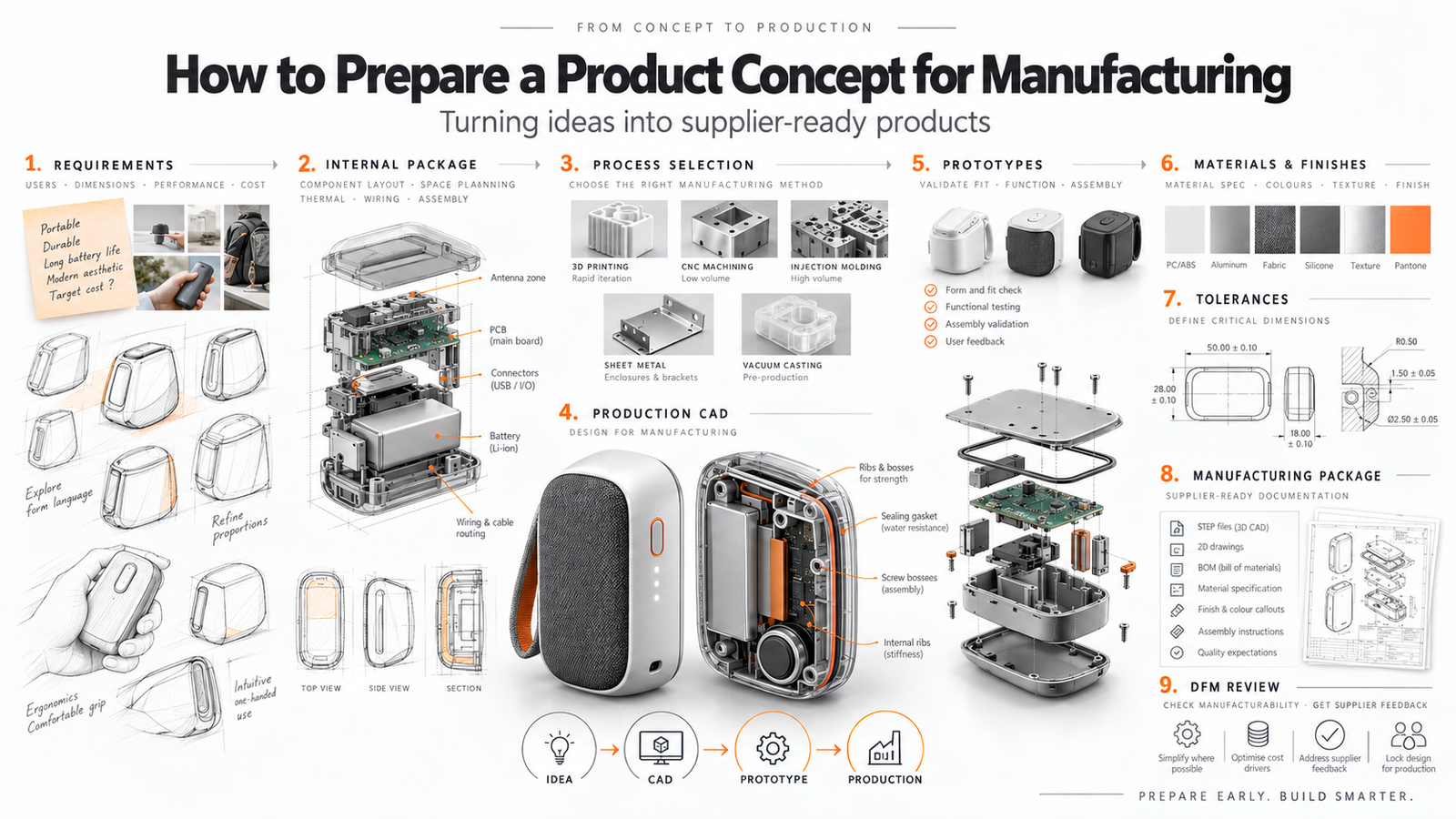
One of the biggest differences between a concept model and a production-ready model is Design for Manufacturing, commonly known as DFM.
A product might look excellent in a render but still contain features that make manufacturing difficult.
The CAD model should therefore consider the intended manufacturing process.
For injection-molded plastic products, designers may need to consider:
- Consistent wall thickness
- Draft angles
- Fillets
- Ribs
- Screw bosses
- Parting lines
- Undercuts
- Ejector locations
- Snap fits
- Mold direction
For CNC-machined parts, the designer may need to think about:
- Tool access
- Corner radii
- Machining setups
- Material removal
- Tolerances
- Surface finish
Designing around the manufacturing process can reduce production cost and prevent expensive changes later.
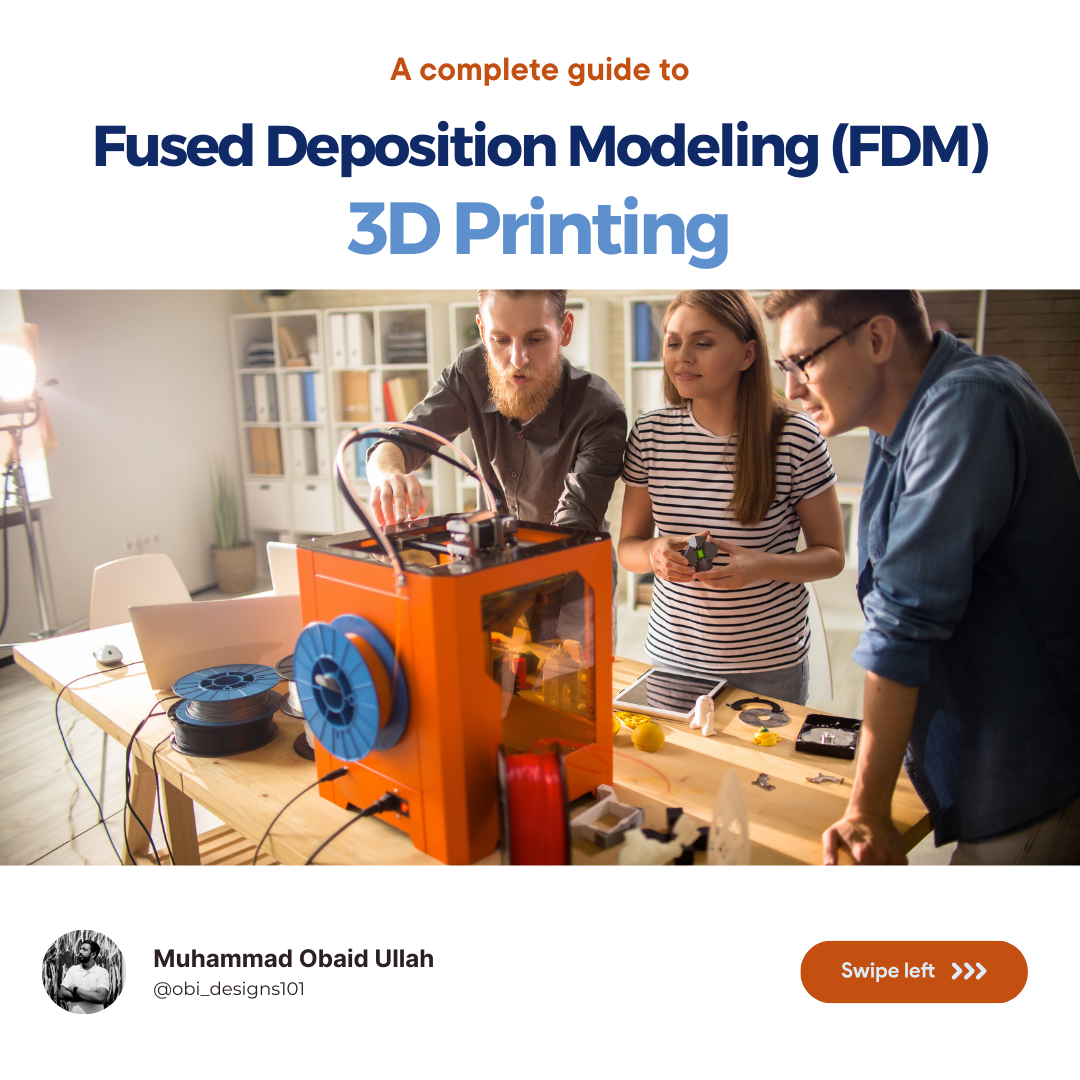
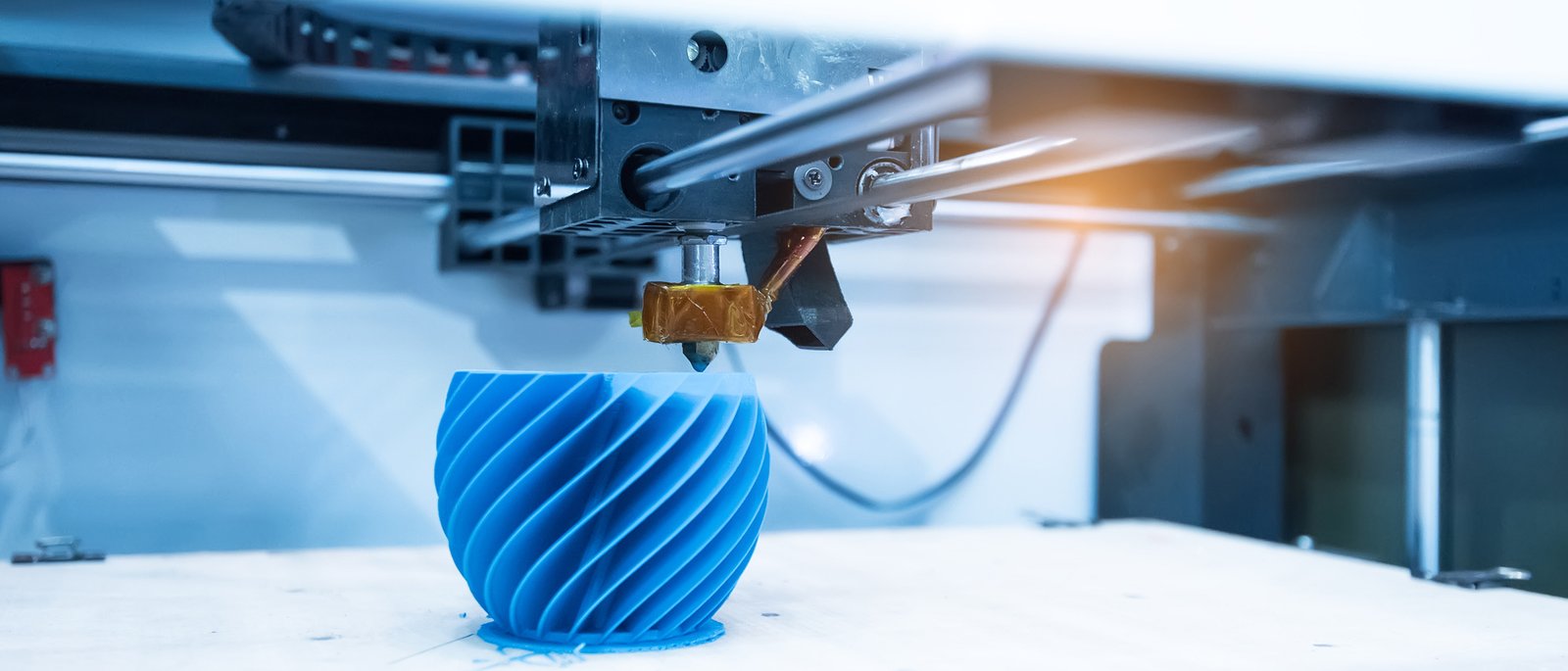
3D Printing and Rapid Prototyping
Once the initial CAD model has been developed, creating a physical prototype is often the next step.
3D printing makes this process much faster.
A designer can produce a prototype, test it, identify issues, update the CAD model, and print another version.
This allows several iterations to be completed before investing in production tooling.
 What Should You Test With a Prototype?
A prototype allows the design team to physically evaluate the product before manufacturing begins.
Important areas to test include:
- Overall dimensions
- Ergonomics
- Component fit
- Assembly
- Button operation
- Connector access
- Product stability
- Cable clearance
- Moving mechanisms
- Visual proportions
Even small problems can become obvious once the product is physically held and used.
For this reason, prototyping should be treated as part of the design process rather than simply the final confirmation stage.
Creating Photorealistic Product Renders
Once the product design has been developed, realistic renders can help communicate the final result.
Rendering software allows designers to apply materials, colors, textures, lighting, and realistic environments to the CAD model.
This helps clients visualize what the finished product could look like before manufacturing starts.
Product renders can be used for:
- Websites
- Product presentations
- Marketing
- Investor pitches
- Crowdfunding campaigns
- Social media
- Packaging
- Portfolio presentations
Different colors and material combinations can also be tested without producing physical samples.
Selecting Materials for Product Design
Material selection can significantly affect product performance, appearance, manufacturing cost, and durability.
Common materials used in product development include:
ABS
ABS is commonly used for electronic enclosures and consumer products.
It provides good strength, impact resistance, and surface quality.
Polycarbonate
Polycarbonate provides high impact resistance and can also be produced in transparent or translucent versions.
PC-ABS
PC-ABS combines properties of both polycarbonate and ABS.
It is commonly found in higher-performance electronic and automotive products.
Aluminum
Aluminum provides a premium appearance, good strength, relatively low weight, and excellent machining properties.
It is commonly used for electronic products, industrial equipment, and premium consumer devices.
Silicone
Silicone is useful for seals, grips, buttons, flexible covers, wearable products, and waterproofing applications.
The correct material should be selected according to the product’s functional and manufacturing requirements.
Product 3D Design for IoT Devices
IoT products require special attention because the enclosure must work closely with the electronics.
A typical IoT enclosure may contain:
- PCB
- Wireless module
- Wi-Fi or Bluetooth antenna
- LEDs
- Sensors
- USB ports
- Battery
- Buttons
- Speakers
- Charging components
The mechanical design must support these components without interfering with their operation.
For example, placing metal directly around an antenna may affect wireless performance. Temperature sensors may also require airflow and separation from heat-generating components.
This is why IoT enclosure design benefits from close collaboration between industrial designers, mechanical engineers, and electronics engineers.
From Product 3D Design to Manufacturing
Once the CAD design has been tested and refined, the project can move toward manufacturing.
The manufacturer normally needs more information than a simple STL file or render.
A production package may include:
- STEP files
- Native CAD files
- 2D engineering drawings
- Critical dimensions
- Tolerances
- Material specifications
- Surface finishes
- Assembly drawings
- Exploded views
- Fastener specifications
- Color information
- Manufacturing notes
Clear documentation helps manufacturers understand exactly what needs to be produced.
It also reduces mistakes and unnecessary communication during production.
Why Product 3D Design Matters
Product 3D design connects creative ideas with engineering and manufacturing.
It allows designers to explore ideas digitally, check component fit, test assembly methods, create prototypes, produce realistic renders, and prepare accurate manufacturing files.
A structured design process also reduces the risk of discovering major problems after tooling or production has already started.
For startups and companies developing physical products, investing time in accurate CAD development can save significant time and cost later in the project.
Product 3D Design Services at OBI Designs
OBI Designs helps startups, inventors, and businesses turn product ideas into professionally developed physical products.
Our product development services include:
- Industrial design
- Product 3D design
- SolidWorks CAD modeling
- Fusion 360 modeling
- IoT enclosure design
- Electronic enclosure design
- Mechanical engineering
- Product visualization
- Photorealistic rendering
- 3D-printable prototypes
- Design for Manufacturing
- Production-ready CAD
- Engineering drawings
With a combination of industrial design and mechanical engineering, we focus on creating products that are visually attractive, functional, practical, and suitable for manufacturing.
If you have a product idea that needs to be developed into a professional 3D design, OBI Designs can help take it from initial concept to manufacturing-ready CAD.
Learn more about our product design work:
OBI Designs – Product Design
No Comments
There are not comments on this post yet. Be the first one!